0 ratings






Item #:
61570439
KVM Switch, ABLEWE Aluminum KVM Switch HDMI,USB Switch for 2 Computers Sharing Mouse Keyboard Printer to One HD Monitor, Support 4K@60Hz,2 HDMI
Item #:
61570439
MNT 106090
Price Details
Excluding Shipping & Custom charges ( Shipping and custom charges will be calculated on checkout )
*All items will import from US
In stock
 Imported from USA store
QTY:
Only 3 items left in stock.
Order now and get it around Tuesday, June 30
Secured transaction
Ubuy works hard to protect your security and privacy. Our advanced payment security system ensures confidentiality by encrypting your information during transmission using AES (Advanced Encryption Standards) and SSL (Secure Socket Layer) protocols. Your payment details are 100% secure as we do not share your payment details with third party sellers.
Our Top Logistics Partners


Save space on your desk and enhance productivity by effortlessly sharing your keyboard, mouse, and monitor between two computers.

Fast
Shipping

Free
Return*

Secure Packaging

100% Original Products

PCI DSS Compliance

ISO 27001 Certified


Note: Step Down Voltage Transformer required for using electronics products of US store (110-120). Recommended power converters Buy Now.


What Stands Out
4K@60Hz Support
Experience stunning visuals with 4K@60Hz support, ensuring crisp and clear image quality for professional use, gaming, and streaming, outperforming standard resolution KVM switches.
Durable Aluminum Design
Crafted from high-quality aluminum, this KVM switch combines durability with a sleek aesthetic, promising long-lasting performance and sophistication for any workspace or home setup.
Comprehensive Connectivity
Includes two HDMI cables, two USB cables, and one charging cable, allowing seamless connection between two computers and a single HD monitor, simplifying your setup and reducing cable clutter.
Product Details
- 【USB KVM HDMI Switch Box】This HDMI KVM Switch allows you to control 2 computers with only one set of USB devices (Monitor, Mouse, Keyboard and Printer). You can easily switch between two displays with one button-pressing,it is not only a monitor switch but also a keyboard mouse switch.
- 【Ultra HD 4K@30Hz Visual Enjoyment】This USB HDMI KVM switch supporting resolution 4K@30Hz, also supports 1080P or lower resolution, mainly depending on the computer's original resolution. Exquisite and realistic display image give a feast for your eyes.
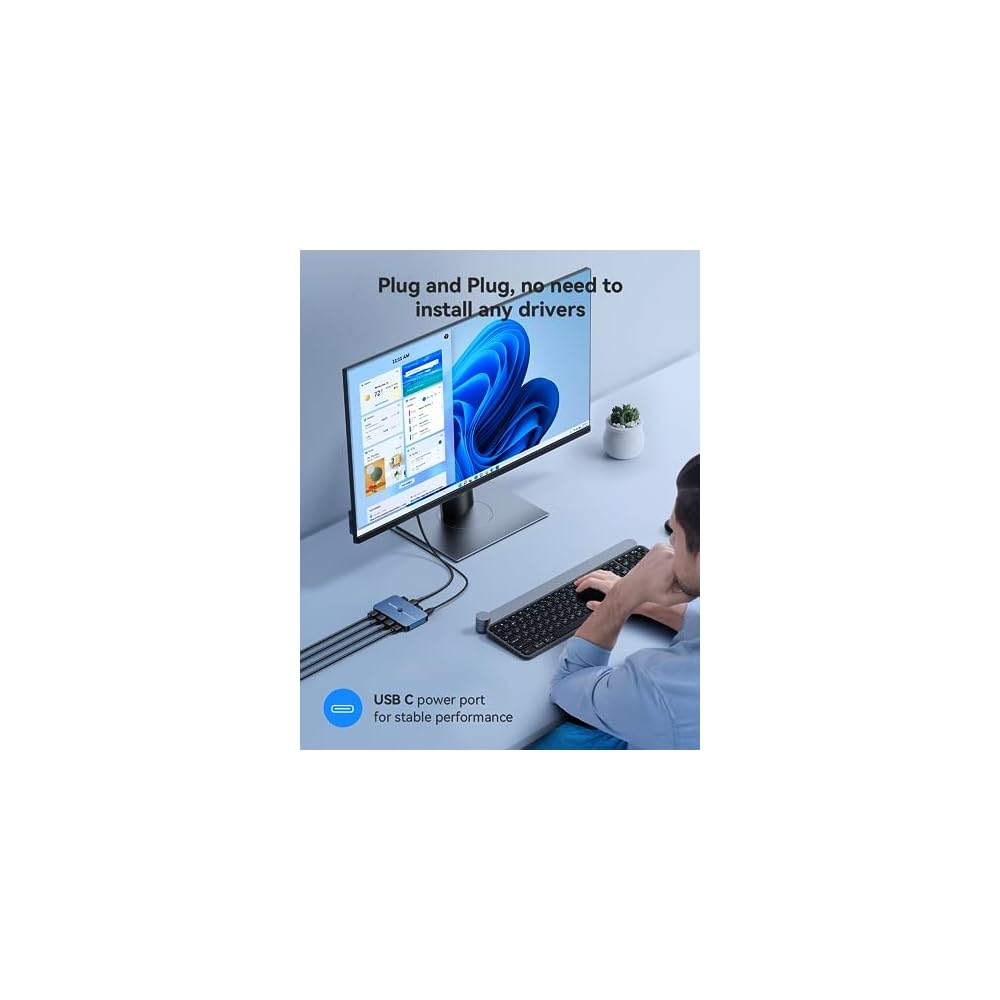
- 【Easy Switch & Greater Compability】 Easily switch between 2 displays with a single click on the button or wired controller. This KVM switches works with greater compatibility(we have updated the usb ports to usb 3.0-which improve the data transfer stability), driver-free for Windows 10/8/8.1/7/Vista/XP and Mac OS, Linux, and Chrome OS, simply plug and play, No external power required.
- 【Free UP Your Desk Space】ABLEWE kvm switch save your desk space when you need to use two computers,you can easily switch between 2 computers and usb devices without all the clutter. No need to plug and unplug hdmi cable and usb cable back and forth anymore,making your work much more convenient and efficient.
| Operation Mode | ON-OFF |
| Current Rating | 2 Amps |
| Operating Voltage | 5 Volts |
| Contact Type | Normally Open |
| Connector Type | Hdmi,usb |
| Switch Type | Push Button |
| Terminal | Button-pressing |
| Mounting Type | Plug-In Mount |
| Actuator Type | Push Button |
| Number of Positions | 2 |
| Controller Type | Wired Controller |
| Control Method | Push Button |
| Connectivity Protocol | Usb |
| Color | Blue |
| Item Dimensions | 4.72 x 2.76 x 0.79 inches (12 x 7 x 2 cm) |
| Material Type | Aluminum |
| Contact Material | Aluminum |
| Brand Name | ABLEWE |
| Model | KVM-02BE-CM |
| Manufacturer | ABLEWE |
| Part Number | KVM-02BE |
| Brand | ABLEWE |
| Material | Aluminum |
| Item dimensions L x W x H | 4.72 x 2.76 x 0.79 inches (12 x 7 x 2 cm) |
Who Should Buy?

-
Home Office Users
Ideal for individuals managing multiple computers at home, enhancing workspace efficiency with seamless switching.
-
Gamers
Allows gamers to switch between systems easily, enjoying high-quality visuals with 4K support for an immersive experience.
-
Small Businesses
Perfect for small business setups needing to share a monitor and peripherals among multiple computers, saving space and costs.

-
High-End Gamers
May not meet the needs of hardcore gamers seeking lower latency or advanced features beyond basic KVM functionality.
-
Large Enterprises
Unsuitable for large organizations requiring more extensive KVM setups to manage numerous systems and sophisticated networking.
-
Multimedia Production
Not ideal for video editors or multimedia professionals needing precise color reproduction and faster performance over HDMI.
Product Description
Have any Query? Chat with us
Customer Questions & Answers
-
Question:
What is the maximum resolution supported by the ABLEWE KVM Switch?
Answer: The ABLEWE KVM Switch supports a maximum resolution of 4K at 60Hz. This means you can experience crystal-clear visuals without any lag or blurriness, making it ideal for high-definition gaming, video editing, or streaming. The ability to support such high resolutions allows you to maximize the potential of your HD monitor and ensures that both computers deliver stunning video quality. -
Question:
How do I switch between the two computers using the KVM Switch?
Answer: Switching between the two computers is straightforward with the ABLEWE KVM Switch. You can use the built-in button on the switch itself to toggle between the connected computers. This feature allows for a seamless transition, enabling you to control multiple systems without the need to physically disconnect any devices. It's especially useful for professionals who require quick switching during multitasking. -
Question:
What devices can I connect to the ABLEWE KVM Switch?
Answer: You can connect two computers and share peripherals such as a mouse, keyboard, and printer to one HD monitor using the ABLEWE KVM Switch. Additionally, the included HDMI cables facilitate a direct connection to your monitor, ensuring that all devices communicate effectively. This versatility makes it perfect for setups where space is limited and efficiency is key. -
Question:
Is the ABLEWE KVM Switch compatible with both Windows and Mac operating systems?
Answer: Yes, the ABLEWE KVM Switch is compatible with both Windows and Mac operating systems, as well as various Linux distributions. This compatibility ensures that users can seamlessly operate their preferred systems without worrying about connectivity issues. This feature is particularly beneficial for users who operate different machines for work and personal tasks. -
Question:
Can I use the ABLEWE KVM Switch for gaming?
Answer: Absolutely! The ABLEWE KVM Switch is an excellent choice for gaming thanks to its support of 4K resolution at 60Hz, which delivers smooth and responsive gameplay. Gamers can switch effortlessly between gaming PCs or consoles while using the same monitor, keyboard, and mouse setup. This capability is ideal for those who play on multiple platforms or require quick access to different gaming systems. -
Question:
What types of cables are bundled with the ABLEWE KVM Switch?
Answer: The ABLEWE KVM Switch comes with two HDMI cables included in the package. These cables are essential for connecting your computers to the KVM switch, ensuring that you have everything needed for a quick and hassle-free setup. By having the right cables on hand, you can avoid the need for additional purchases and start using your KVM switch immediately. -
Question:
Does the KVM Switch support hotkey switching?
Answer: The ABLEWE KVM Switch does not support hotkey switching, meaning you must use the physical button on the device to switch between computers. While this may seem limiting, it ensures a reliable and straightforward method for changing your active connection without the risk of unintentional switches. For users who prefer a tactile interface, this makes controlling their devices intuitive. -
Question:
Is there any software required to use the KVM Switch?
Answer: No software is required to use the ABLEWE KVM Switch. It operates on a plug-and-play basis, which means you can simply connect your devices and start using it immediately. This makes the installation process quick and user-friendly. Users can focus on their tasks without the hassle of downloading drivers or dealing with installation procedures. -
Question:
Can I use the KVM Switch with multiple monitors?
Answer: The ABLEWE KVM Switch is designed for a single monitor setup and does not support dual monitor configurations. If you need to manage multiple screens, you might consider using a more advanced KVM switch specifically designed for that purpose. However, for users focusing on a single monitor experience, the ABLEWE KVM Switch provides excellent functionality and simplicity. -
Question:
Where can I buy the ABLEWE KVM Switch?
Answer: You can buy the ABLEWE KVM Switch from Ubuy, a trusted online retailer in Mongolia. Ubuy offers a wide range of products, ensuring you find the right tech solutions for your needs, including the ABLEWE KVM Switch. With a focus on quality and customer satisfaction, Ubuy is an excellent source for your electronics and accessories.
ABLEWE KVM Switches Editorial Review
The ABLEWE Aluminum KVM Switch allows users to share one HD monitor, mouse, keyboard, and printer between two computers. It supports a maximum of 4k@60Hz and also comes with 2 HDMI Cables and 2 USB Cables. The FAQs reveal that it works with Windows 11, doesn't need any special drivers, and requires USB to connect to the switch. However, users cannot look at two different screens at the same time using a split screen, and there is no keyboard shortcut to switch. The diagnostic is mixed, with some customers highly recommending the product for its easy setup and usage, bus-powered portability, and seamless switching between personal and work laptops within a week of use. However, other customers had issues with visual glitches, cursor freezes, and sporadic lag leading to an overall unsatisfactory experience. The packaging and customer service received mixed feedback as well, with some customers receiving the product poorly packed and without a box, while others receiving a speedy response and resolution for dysfunctional wires.
Customer Reviews & Ratings
809 customers ratings
-
5 Star
57%
-
4 Star
14%
-
3 Star
9%
-
2 Star
6%
-
1 Star
14%
Review this product
Share your thoughts with other customers
Pros
- Easy to hookup and switch between work and personal laptops
- Bus-powered makes it portable
- Saves desk space by sharing peripherals
Cons
- Mixed reviews with connectivity and visual glitches
Related Categories
Product Price History
Important information
- Limitations : For products shipped internationally, please note that any manufacturer warranty may not be valid; manufacturer service options may not be available; product manuals, instructions, and safety warnings may not be in destination country languages; the products (and accompanying materials) may not be designed in accordance with destination country standards, specifications, and labeling requirements; and the products may not conform to destination country voltage and other electrical standards (requiring use of an adapter or converter if appropriate). The recipient is responsible for assuring that the product can be lawfully imported to the destination country. When ordering from Ubuy or its affiliates, the recipient is the importer of record and must comply with all laws and regulations of the destination country.
- Not all the products listed on Ubuy are for sale, as Ubuy is a global search engine. Products are subject to export/trade regulations.
MNT 106090
Order now and get it around Tuesday, June 30
This item is not restrict in my country.(Please click on above link if this item is not restrict in your country, So our team will review and allow.)
QTY:
Only 3 items left in stock.
Secured transaction
Ubuy works hard to protect your security and privacy. Our advanced payment security system ensures confidentiality by encrypting your information during transmission using AES (Advanced Encryption Standards) and SSL (Secure Socket Layer) protocols. Your payment details are 100% secure as we do not share your payment details with third party sellers.
Our Top Logistics Partners
Fastest cross-border delivery
Features & Benefits
- Connect two computers to a single keyboard, mouse, and monitor.
- Supports HDMI 2.0 with resolutions up to 4K@60Hz.
- Easy one-button switching between systems with LED indicators.
- Plug-and-play installation with no drivers or power adapter needed.
- Includes all necessary cables: 2 HDMI and 2 USB 3.0 cables.
- Ideal for home and office use, improving work efficiency.